














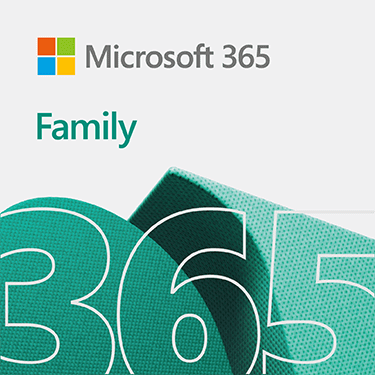


Microsoft 365 Family – Complete Productivity for Up to 6 People
Microsoft 365 Family is a powerful all-in-one subscription designed for families and small groups who need premium productivity tools, cloud storage, and advanced security. This 1-year subscription allows up to six users, making it one of the most cost-effective and feature-rich solutions for home and shared use.
With Microsoft 365 Family, each user gets access to premium Microsoft apps including Word, Excel, PowerPoint, Outlook, and OneNote, all fully installed and always updated. These apps are available across multiple devices, including PCs, Macs, iPhones, iPads, and Android devices, ensuring flexibility and convenience for every user.
One of the biggest advantages of Microsoft 365 Family is the generous 6 TB cloud storage, with 1 TB allocated per person. This allows each user to securely store files, photos, videos, and important documents in OneDrive. You can access your files anytime, anywhere, and easily share them with others.
Why Choose Microsoft 365 Family?
Microsoft 365 Family stands out for its ability to combine productivity, collaboration, and security in one subscription. It is perfect for families, students, and individuals who want access to premium tools without paying for multiple licenses.
Microsoft 365 Family also includes Microsoft Copilot features, bringing AI-powered assistance into apps like Word, Excel, and PowerPoint. This helps users write faster, analyze data more efficiently, and create better presentations.
Please note: AI features are available only to the subscription owner and are not shared with other users. Usage limits may apply depending on Microsoft policies.
You can sign in on up to five devices at the same time, allowing seamless switching between devices. Whether you are working on a laptop, tablet, or smartphone, your files and applications stay synchronized.
Work, Create, and Collaborate Anywhere
With Microsoft 365 Family, communication and collaboration are easier than ever. You can use Microsoft Teams for video calls, messaging, and sharing content with family members or small teams. It also includes advanced tools like a video editor with 4K export, filters, and effects for creative projects.
The subscription ensures your data remains secure with built-in protection features. Your files stored in OneDrive are backed by Microsoft’s trusted cloud security, helping protect against data loss and cyber threats.
System Compatibility
Microsoft 365 Family works across a wide range of devices:
- Windows 11 and Windows 10
- macOS (latest versions)
- Android devices (latest versions)
- iOS devices (latest versions)
- Modern browsers like Chrome, Edge, Safari, and Firefox
Performance Requirements
To run Microsoft 365 Family smoothly, your system should meet basic requirements such as:
- Minimum 4 GB RAM (PC & Mac)
- At least 4–10 GB storage space
- Modern processor (Intel, Apple Silicon, or equivalent)
- Internet connection for activation and updates
Key Features of Microsoft 365 Family
- 1-year subscription for up to 6 users
- Full Office apps: Word, Excel, PowerPoint, Outlook
- 6 TB cloud storage (1 TB per user)
- Microsoft Copilot AI features
- Works on PC, Mac, iOS, and Android
- Sign in on multiple devices
- Advanced security and data protection
- Microsoft Teams for communication and meetings
Microsoft 365 Family is the perfect solution for households or groups looking for premium productivity tools, large cloud storage, and modern AI-powered features. It offers excellent value for money while ensuring seamless performance across all devices.
🔗 Additional Resources
Get more details about Microsoft 365 Family:
https://www.microsoft.com/microsoft-365


Reviews
There are no reviews yet.