


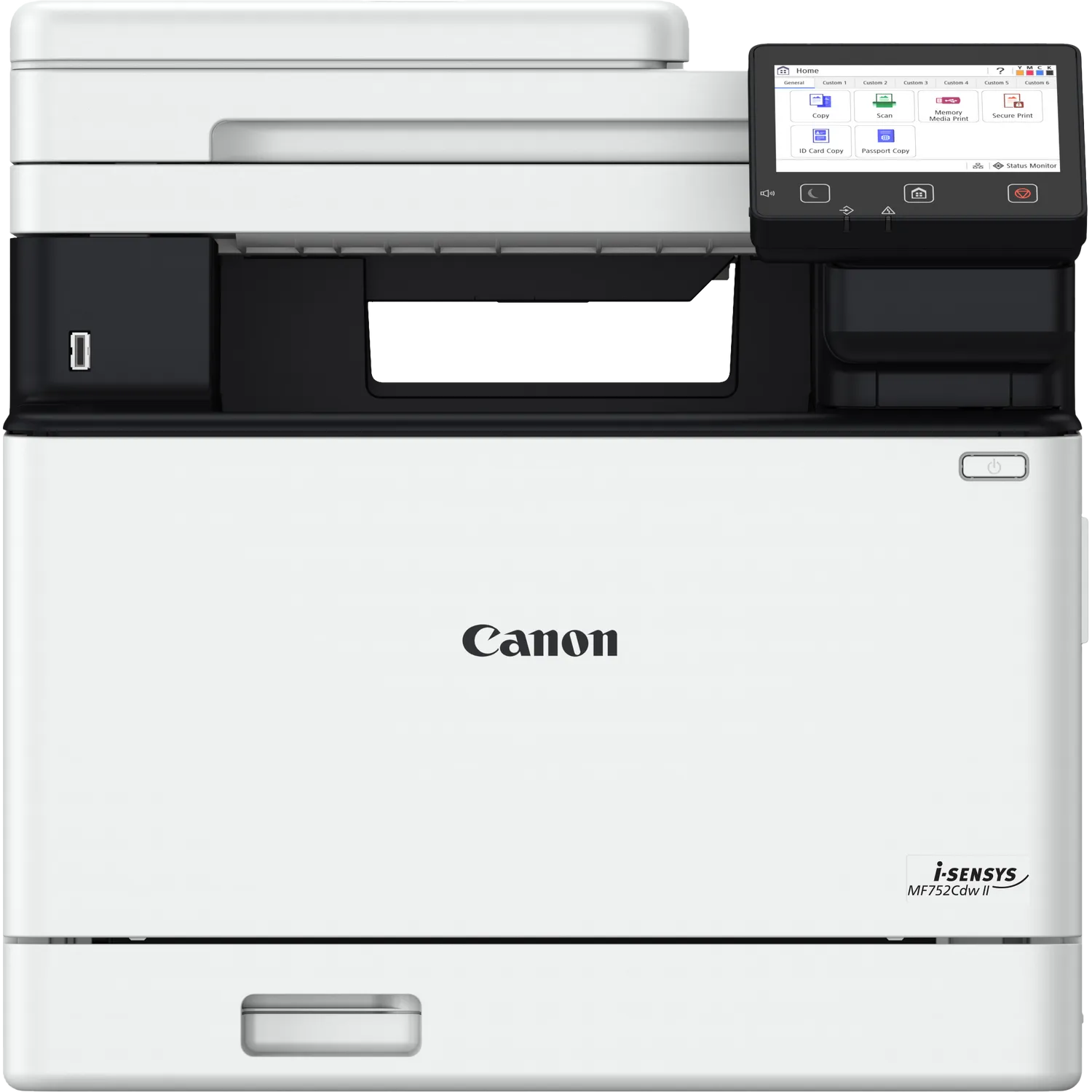
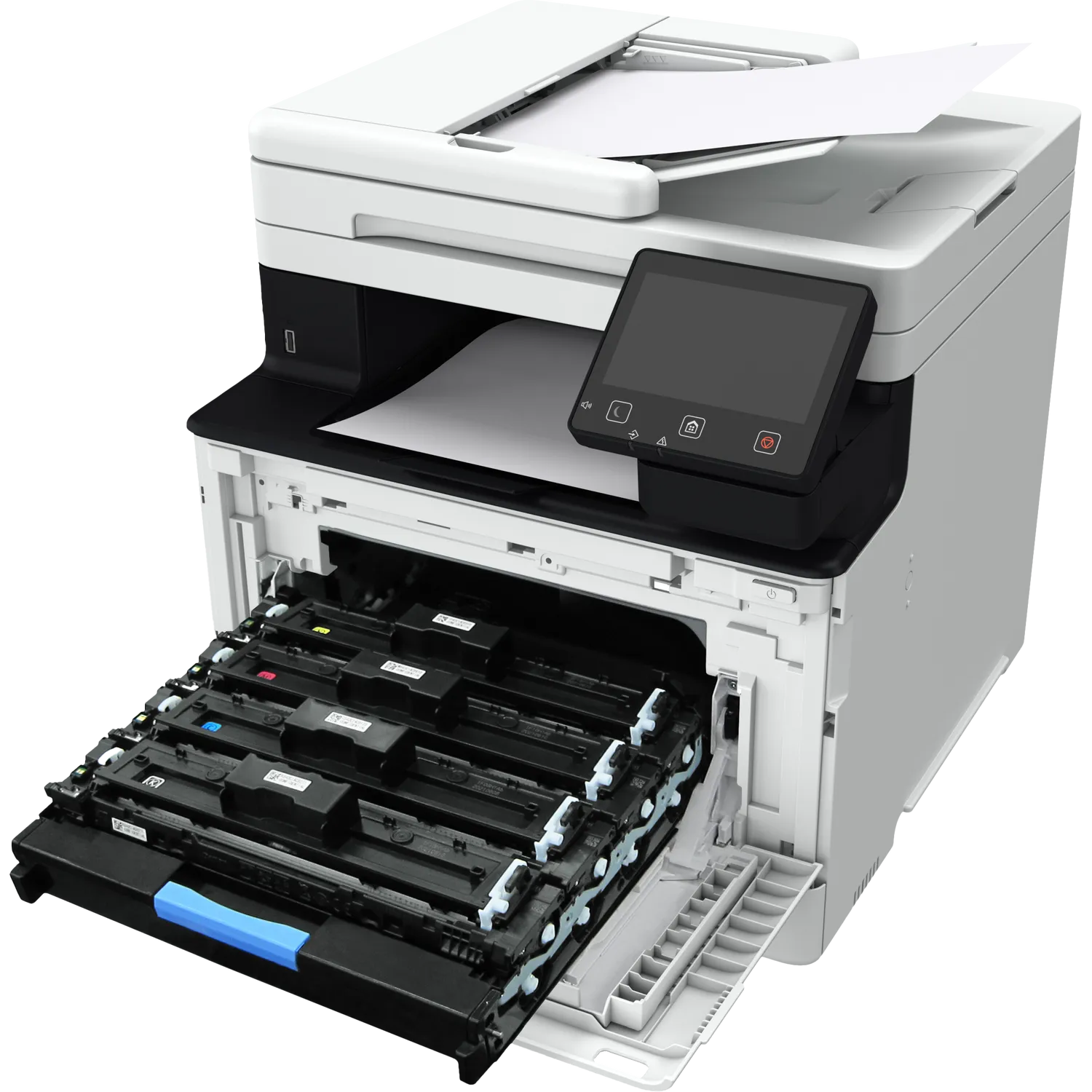
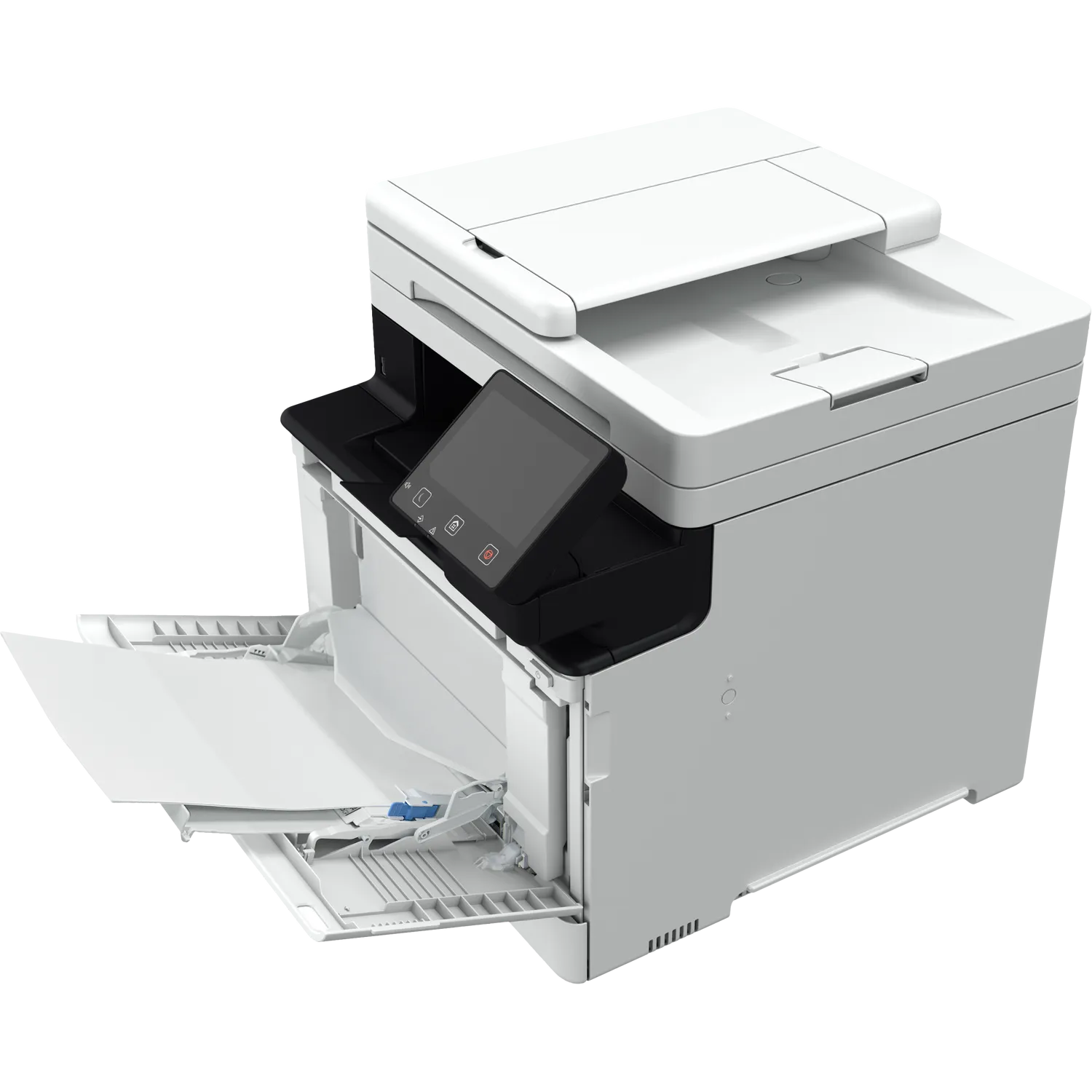
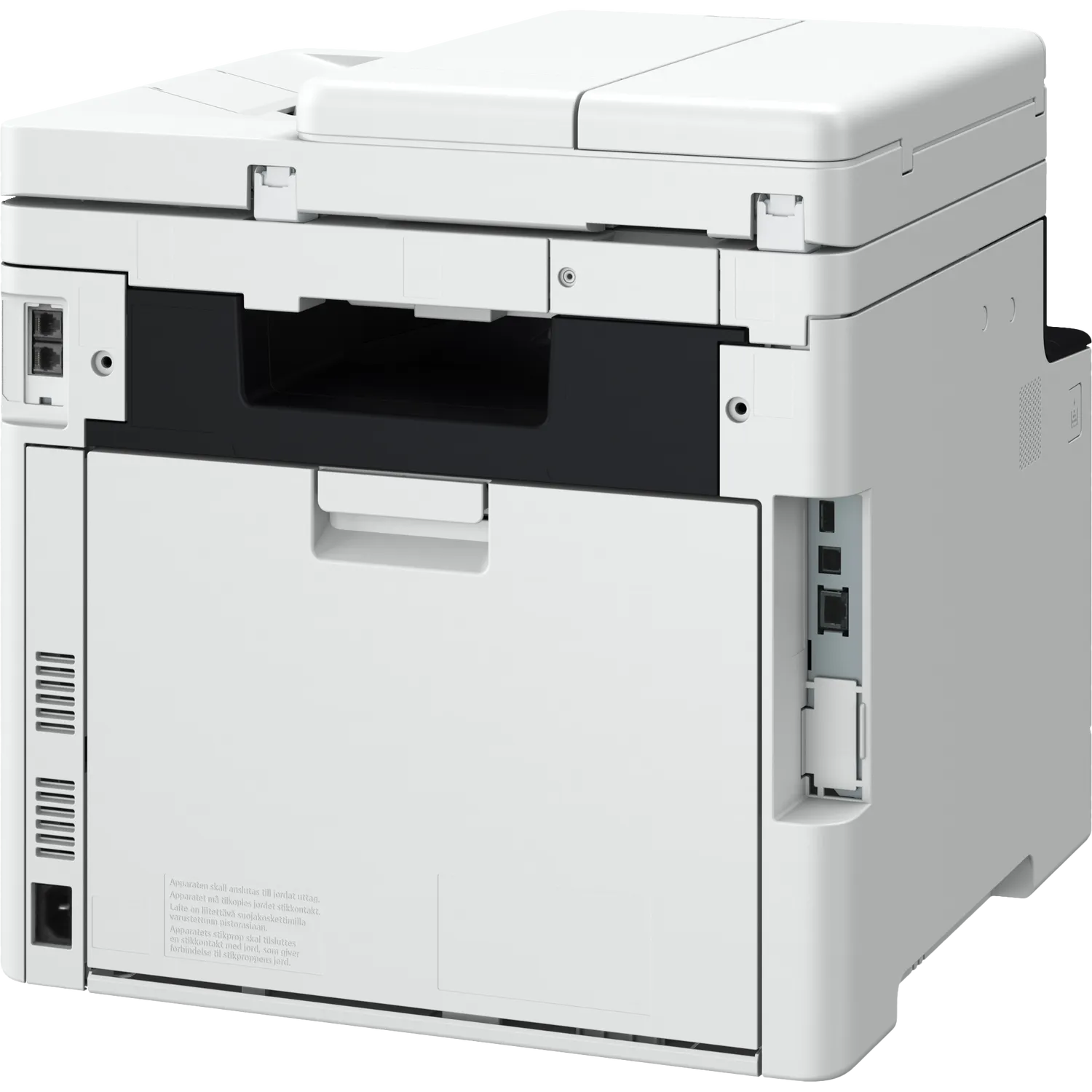
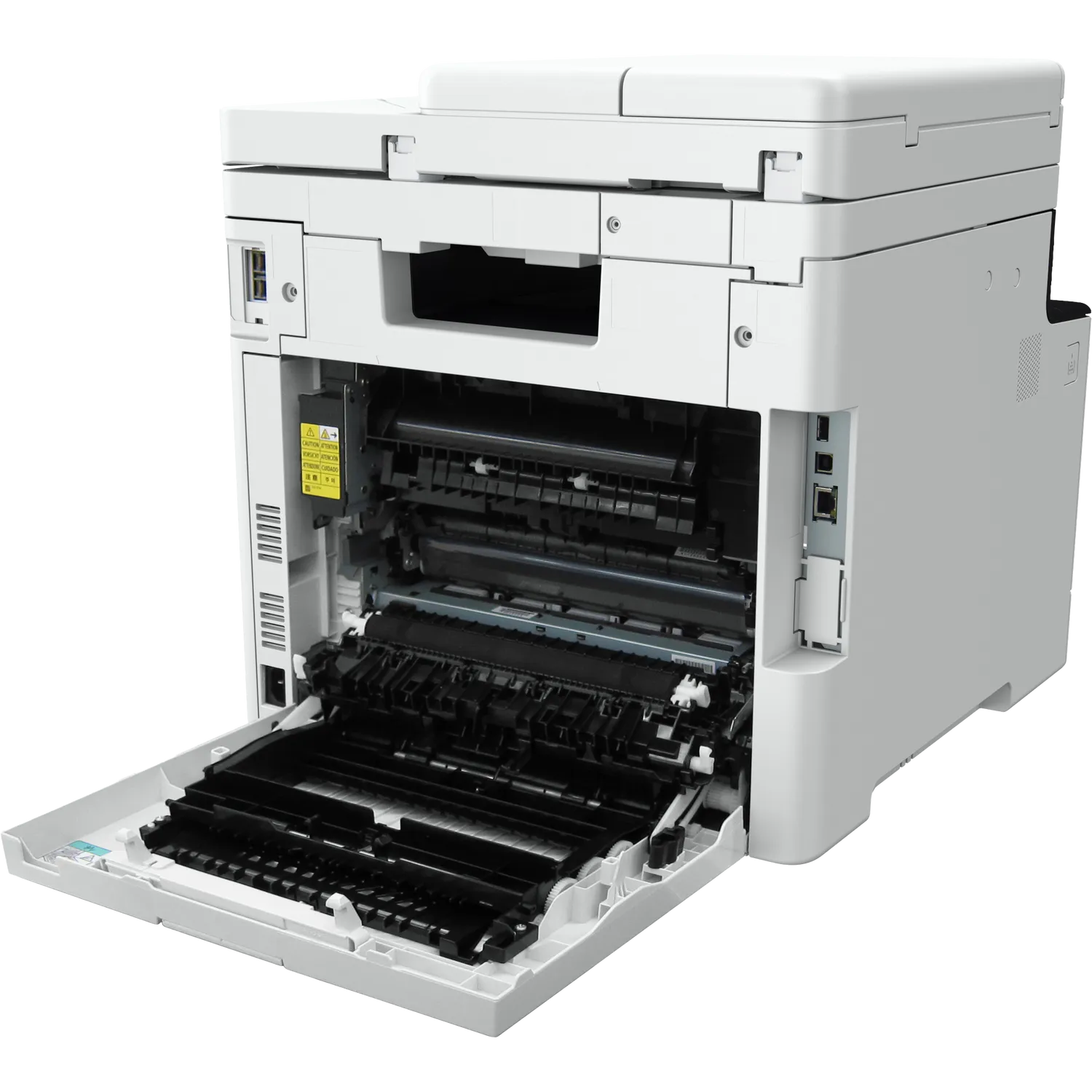
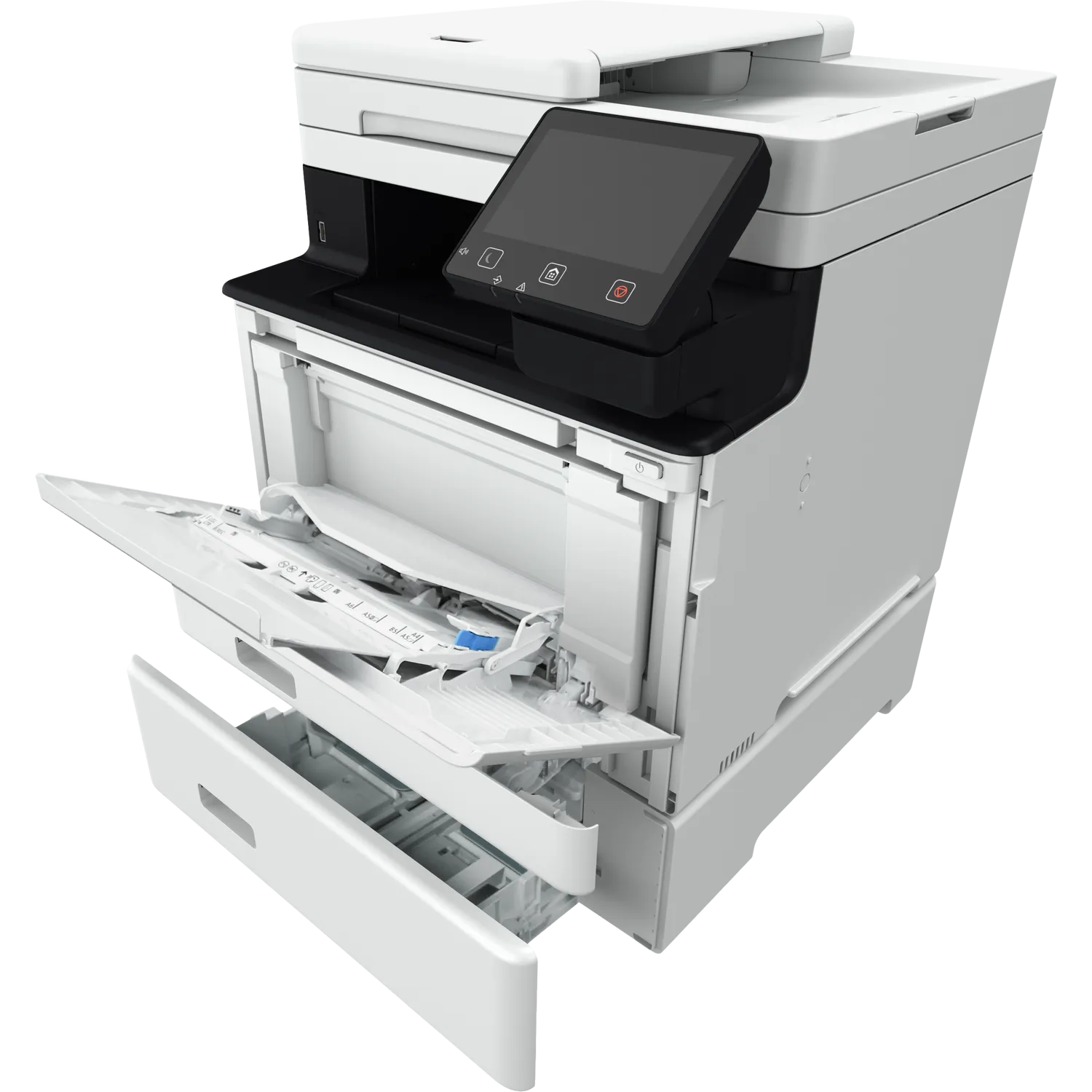
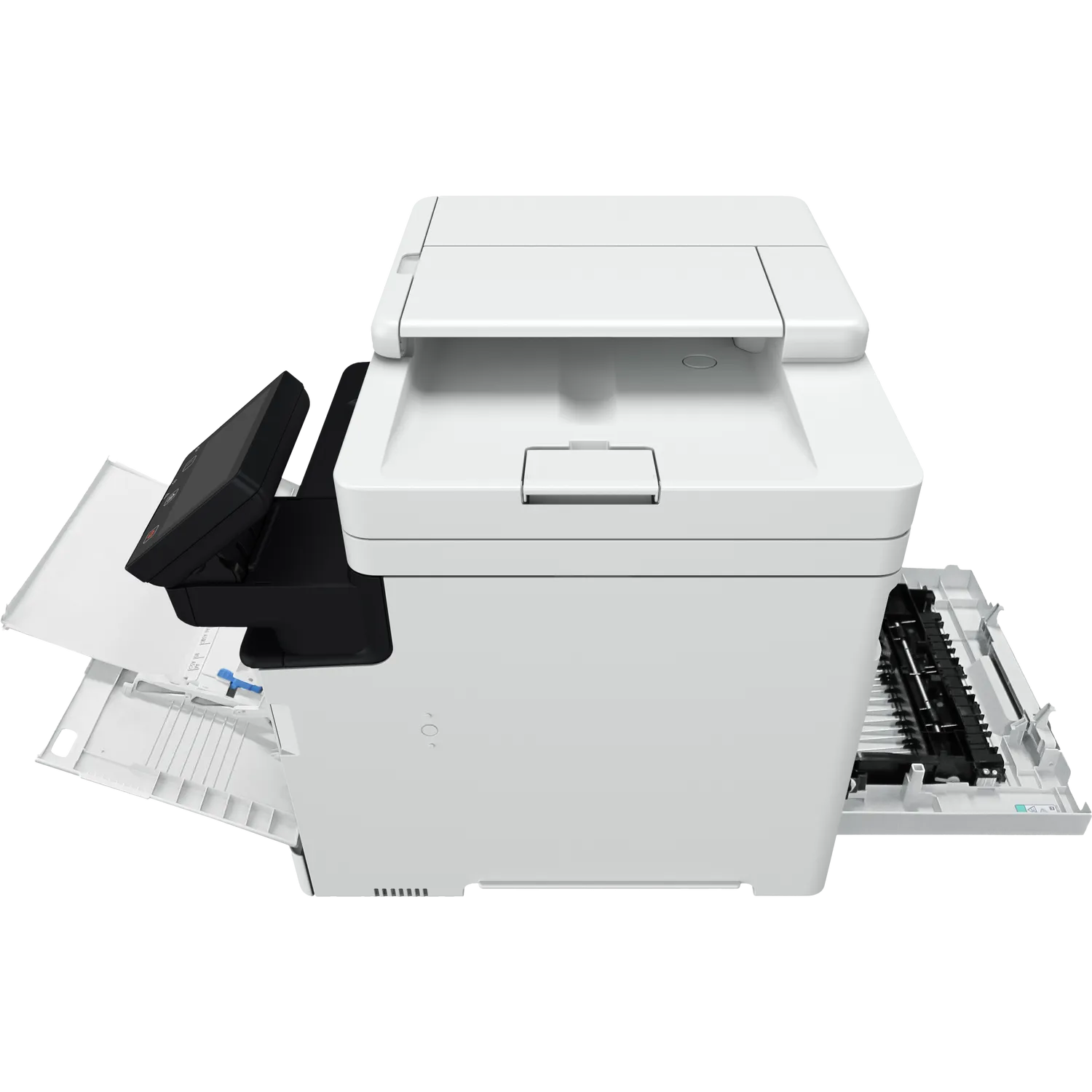
Quick answer: The Canon i-SENSYS MF752Cdw is a fast A4 colour multifunction laser printer designed for offices that need professional printing, copying and scanning from one network-ready device. It prints at up to 33 pages per minute, supports automatic duplex printing and uses a single-pass two-sided document feeder for efficient scanning.
Canon i-SENSYS MF752Cdw Colour Laser Printer
The Canon i-SENSYS MF752Cdw combines three essential office functions: printing, copying and scanning. It is designed for small and medium-sized businesses, schools, professional offices, reception areas and workgroups that regularly produce colour and black-and-white documents.
This multifunction laser printer does not include fax functionality. Businesses that require fax should consider another model from the Canon MF750 series with fax support.
Customers searching for a laserjet printer often use that phrase for laser printers generally. The MF752Cdw is correctly described as a Canon colour laser printer and offers a strong multifunction alternative to an HP LaserJet printer.
Fast 33ppm office printing
The Canon i-SENSYS MF752Cdw prints up to 33 A4 pages per minute. Its first colour or monochrome page can be produced in approximately 7.1 seconds or less, while warm-up from power-on takes approximately 14 seconds or less.
Fast output makes this Canon printer suitable for invoices, reports, presentations, school materials, forms and internal business documents. Its recommended monthly print volume is between 750 and 4,000 pages, with a maximum monthly duty cycle of up to 50,000 pages.
Professional 1200 × 1200 dpi colour output
Colour laser beam technology and print resolution of up to 1200 × 1200 dpi help produce sharp text, clear graphics and professional-looking business documents.
The printer supports UFRII, PCL 5c commands and PCL6 printer languages. A toner-saver mode is available for documents where maximum print density is not required.
Automatic duplex printing and copying
The Canon i-SENSYS MF752Cdw supports automatic two-sided printing, helping businesses reduce paper consumption and produce professional double-sided documents without manually turning pages.
Automatic two-sided copying supports 2-sided originals to 2-sided copies. Copy speeds reach up to 33ppm for single-sided A4 documents and up to 29 images per minute for double-sided A4 copying.
Additional copying features include collating, ID-card copying, frame erase, 2-on-1, 4-on-1 and enlargement or reduction from 25% to 400%.
Single-pass two-sided document scanning
A 50-sheet automatic document feeder scans both sides of a document in a single pass. This is significantly faster and more convenient than manually turning each page when digitising contracts, invoices, reports or customer records.
The Canon i-SENSYS MF752Cdw can scan up to 100 images per minute in monochrome and 80 images per minute in colour at 300 × 300 dpi when scanning double-sided documents.
Optical scan resolution reaches up to 600 × 600 dpi. Documents can be scanned to a computer, email, USB memory, FTP, network folder or supported cloud workflow. Available formats include JPEG, TIFF, standard PDF, compact PDF, searchable PDF and PDF/A-1b.
Flexible paper handling
The printer has a standard paper capacity of 300 sheets:
- 250-sheet main paper cassette
- 50-sheet multipurpose tray
- 50-sheet automatic document feeder
- 150-sheet output capacity
An optional 550-sheet paper cassette increases the maximum paper-input capacity to 850 sheets. This expansion is useful for offices with heavier printing requirements or businesses that regularly use different paper types.
Supported media include plain paper, recycled paper, heavy paper, thin paper, coated paper, labels, postcards and envelopes. The multipurpose tray supports media weights up to 176gsm, or up to 200gsm with supported coated paper.
5-inch colour touchscreen
The large 12.7cm colour touchscreen provides direct access to printing, copying, scanning and device settings. Its Application Library can be customised with one-touch workflow shortcuts for frequently used tasks.
For example, users can create shortcuts for scanning documents to a particular destination or printing frequently used forms. This makes the Canon i-SENSYS MF752Cdw easier to share across a busy office.
Wi-Fi, Ethernet and USB connectivity
The available connectivity options include:
- Wireless 802.11b/g/n networking
- Wireless Direct Connection
- Gigabit Ethernet
- High-Speed USB 2.0
- USB memory printing and scanning
Wireless Direct allows compatible devices to connect without requiring access through the main office wireless network. Gigabit Ethernet provides a stable wired connection for shared workplace environments.
Mobile and cloud printing
The Canon i-SENSYS MF752Cdw supports Apple AirPrint, Mopria, Canon PRINT Business, Canon Print Service Plug-in and Microsoft Universal Print.
Users can print from compatible smartphones, tablets and computers. Supported cloud connections include Google Drive, Dropbox and OneDrive, subject to internet access, account requirements and the applicable third-party service terms.
Office security and management
Secure Print and Encrypted Secure Print help prevent confidential documents from being left unattended in the output tray. Other network-security features include TLS 1.3, IPsec, IP-address filtering, IEEE 802.1X and SNMPv3.
Department ID Management can help administrators control access and track printer use by department or user group. The Remote User Interface also allows authorised users to monitor and configure the printer through a web browser.
Canon 069 and 069H toner cartridges
The printer uses Canon Cartridge 069 and high-yield Cartridge 069H toner:
- Canon 069 Black: Approximately 2,100 pages
- Canon 069H Black: Approximately 7,600 pages
- Canon 069 Cyan, Magenta or Yellow: Approximately 1,900 pages each
- Canon 069H Cyan, Magenta or Yellow: Approximately 5,500 pages each
Declared toner yields are based on ISO/IEC 19798 testing. Actual yield varies according to printed content, coverage, settings and operating conditions.
Who should choose this multifunction laser printer?
- Small and medium-sized businesses
- Accounting, legal and consulting offices
- Schools and training institutions
- Clinics and professional reception areas
- Workgroups that frequently scan double-sided documents
- Businesses needing secure colour printing
- Customers comparing colour printers and laserjet printer alternatives
Canon i-SENSYS MF752Cdw specifications
| Brand | Canon |
|---|---|
| Model | i-SENSYS MF752Cdw |
| Printer type | A4 colour multifunction laser printer |
| Functions | Print, copy and scan |
| Fax | No |
| Print speed | Up to 33ppm |
| Print resolution | Up to 1200 × 1200 dpi |
| First print time | Approximately 7.1 seconds or less |
| Warm-up time | Approximately 14 seconds or less |
| Automatic duplex printing | Yes |
| Automatic duplex copying | Yes, 2-sided to 2-sided |
| Scanner | Flatbed and single-pass two-sided ADF |
| ADF capacity | 50 sheets |
| Maximum duplex scan speed | 100ipm mono and 80ipm colour at 300 × 300 dpi |
| Optical scan resolution | Up to 600 × 600 dpi |
| Standard paper input | 250-sheet cassette and 50-sheet multipurpose tray |
| Maximum paper input | 850 sheets with optional cassette |
| Paper output | 150 sheets |
| Control panel | 12.7cm / 5-inch colour LCD touchscreen |
| Memory | 1GB |
| Connectivity | Wi-Fi, Wireless Direct, Gigabit Ethernet and USB 2.0 |
| Mobile printing | AirPrint, Mopria and Canon PRINT Business |
| Cloud support | Google Drive, Dropbox and OneDrive |
| Recommended monthly volume | 750–4,000 pages |
| Maximum monthly duty cycle | Up to 50,000 pages |
| Toner cartridges | Canon 069 and 069H series |
| Dimensions | 425 × 461 × 430mm |
| Weight | Approximately 23.3kg |
| Power supply | 220–240V, 50/60Hz |
What is included?
- Canon i-SENSYS MF752Cdw printer
- Canon 069 Black starter toner – approximately 2,100 pages
- Canon 069 Cyan starter toner – approximately 1,100 pages
- Canon 069 Magenta starter toner – approximately 1,100 pages
- Canon 069 Yellow starter toner – approximately 1,100 pages
- Power cable
- Setup guide and safety documentation
- Software DVD-ROM where supplied for the region
Package contents and local warranty coverage should be confirmed against the physical stock before publishing.
Colour laser printers in Nairobi
The Canon i-SENSYS MF752Cdw is available through Shah Computers, 1st Floor, Maharaja House, 01 Shivachi Road, opposite M.P. Shah Hospital, Westlands, Nairobi. Call or WhatsApp 0113 219 859 to confirm price, availability and warranty terms.
Explore more multifunction printers or compare our range of laser printers in Kenya.
For authoritative technical information, view the official Canon i-SENSYS MF752Cdw specifications.
Frequently asked questions
What functions does the Canon i-SENSYS MF752Cdw provide?
The Canon i-SENSYS MF752Cdw prints, copies and scans in colour and black and white. It does not include fax functionality.
How fast does the Canon MF752Cdw print?
It prints up to 33 A4 pages per minute and can produce its first colour or monochrome page in approximately 7.1 seconds or less.
Does the MF752Cdw print and scan both sides automatically?
Yes. It supports automatic two-sided printing and copying. Its single-pass duplex document feeder scans both sides without requiring users to turn the page manually.
Is the Canon MF752Cdw a LaserJet printer?
It is a colour laser printer. LaserJet is HP branding, so the Canon MF752Cdw is more accurately described as a multifunction colour laser printer or an alternative to an HP LaserJet printer.
Does the Canon MF752Cdw support wireless printing?
Yes. It supports Wi-Fi, Wireless Direct, Apple AirPrint, Mopria and the Canon PRINT Business application. It also has Gigabit Ethernet and USB connectivity.
How much paper can the printer hold?
Its standard paper capacity is 300 sheets: 250 sheets in the main cassette and 50 sheets in the multipurpose tray. An optional 550-sheet cassette increases total input to 850 sheets.
Which toner cartridges does the MF752Cdw use?
It uses Canon Cartridge 069 standard-yield toner and Canon Cartridge 069H high-yield toner in black, cyan, magenta and yellow.
Is the Canon MF752Cdw suitable for a busy office?
Yes. Canon recommends approximately 750 to 4,000 printed pages per month. Its maximum monthly duty cycle is up to 50,000 pages.
What is the difference between MF752Cdw and MF752Cdw II?
They are different product generations. MF752Cdw II is the newer model and uses a different product number. Confirm the exact name printed on the printer or packaging before ordering or publishing the listing.
Where can I find this Canon printer in Nairobi?
Visit Shah Computers at 1st Floor, Maharaja House, 01 Shivachi Road, opposite M.P. Shah Hospital in Westlands, Nairobi, or call 0113 219 859.
Reviews
There are no reviews yet.