


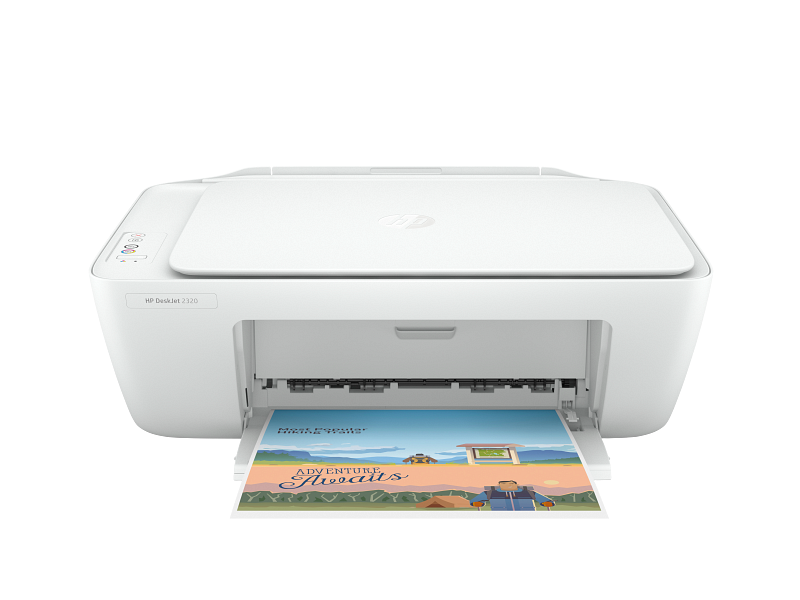
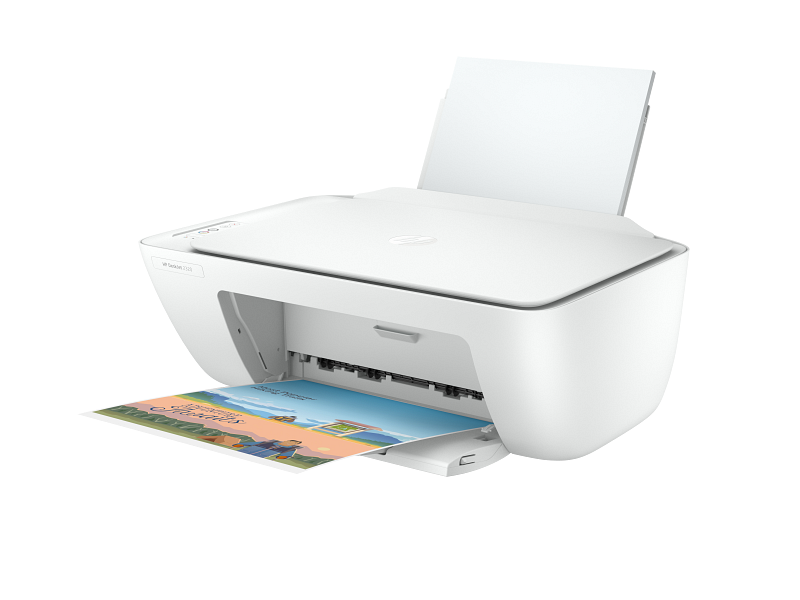
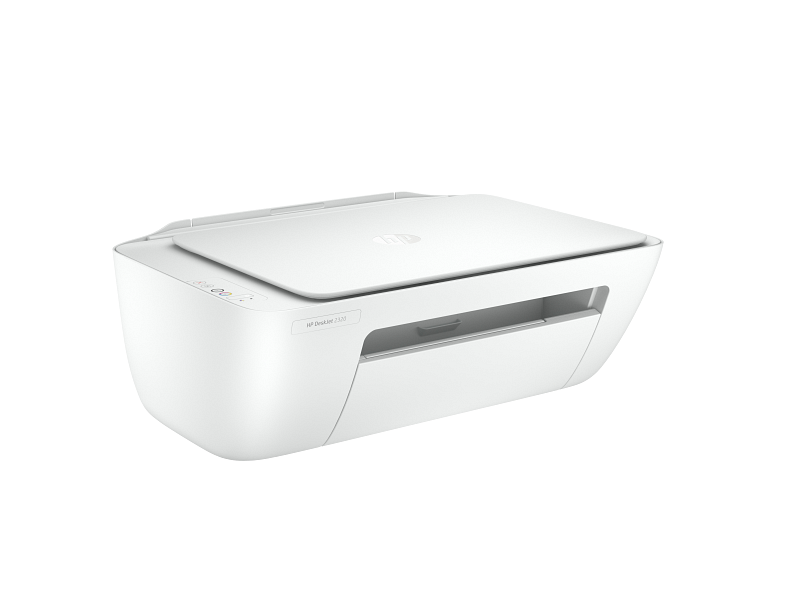
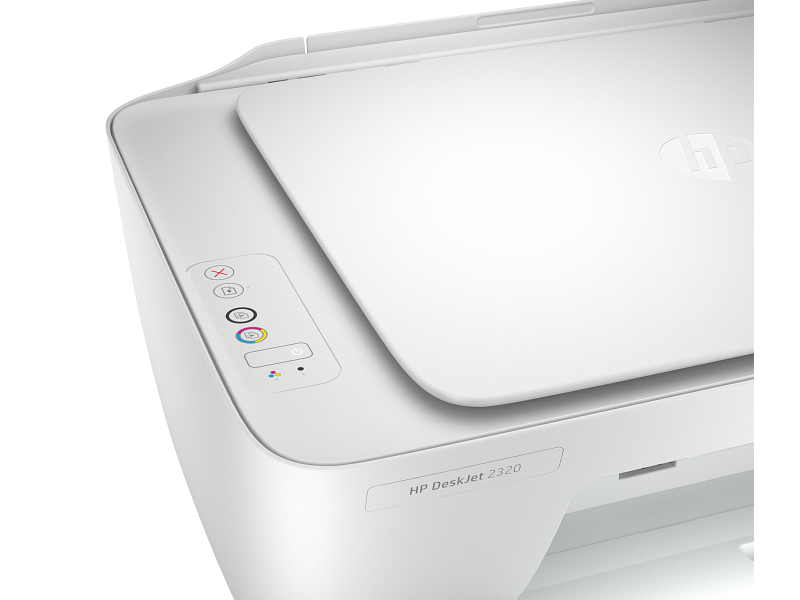
Quick answer: The HP DeskJet 2320 is a compact and affordable all-in-one inkjet printer for basic home, school and personal printing. It prints, scans and copies documents, connects directly to a computer through USB and uses HP 305 or HP 305XL ink cartridges.
HP DeskJet 2320 All-in-One Inkjet Printer
The HP DeskJet 2320 brings printing, scanning and copying together in one simple desktop device. Its compact white design fits comfortably on a home desk, study table, small counter or shared family workspace.
This HP printer is designed for users with light, occasional printing requirements. It is suitable for homework, school notes, recipes, forms, personal records, simple colour documents and occasional photographs.
The printer connects through a Hi-Speed USB 2.0 port. It does not have Wi-Fi, Ethernet or mobile-printing support, making it most appropriate for customers who prefer a straightforward wired connection to one nearby computer.
Everyday black and colour inkjet printing
The HP DeskJet 2320 uses HP Thermal Inkjet technology to produce black-and-white and colour documents. ISO print speeds reach up to 7.5 pages per minute in black and up to 5.5 pages per minute in colour.
Draft-mode performance can reach up to 20ppm in black and 16ppm in colour. Actual print speed depends on document complexity, computer performance, print-quality settings and other operating conditions.
The first black page can be produced in approximately 15 seconds, while the first colour page can be ready in approximately 18 seconds.
Clear documents and colourful prints
Black print quality reaches up to 1200 × 1200 rendered dpi, helping the HP DeskJet 2320 produce clear text for letters, assignments, forms and personal documents.
Colour print quality reaches up to 4800 × 1200 optimised dpi when printing from a computer on selected HP photo papers with suitable input resolution. This makes the inkjet printer useful for colourful school projects, charts, graphics and occasional photographs.
The printer does not support borderless printing. Photographs and graphics are therefore printed with margins according to the selected paper size and software settings.
Flatbed scanning up to 1200dpi
The integrated flatbed scanner uses Contact Image Sensor technology and provides optical resolution up to 1200dpi. It can scan documents, identification cards, photographs, receipts and other flat originals measuring up to 216 × 297mm.
Supported scan formats include JPEG, TIFF, PDF, BMP and PNG. The flatbed design requires originals to be placed on the scanner glass individually because this model does not have an automatic document feeder.
Convenient document copying
The HP DeskJet 2320 can make copies directly from its control buttons without requiring users to scan and print each document manually.
Copy speeds reach up to six copies per minute in black and three copies per minute in colour. Copy resolution reaches up to 600 × 300dpi, and users can make up to nine copies from one operation.
60-sheet input tray
The standard input tray holds up to 60 sheets, while the output tray holds up to 25 sheets. Supported media include plain paper, photo paper and brochure paper.
Supported standard sizes include A4, B5, A6 and DL envelopes. The printer also supports selected custom paper sizes from approximately 89 × 127mm to 215 × 279mm.
Automatic duplex printing is not available. Two-sided documents can still be produced manually using the printer-driver instructions to turn and reload the paper.
Simple USB connection
The HP DeskJet 2320 connects to a compatible computer using a Hi-Speed USB 2.0 connection. The HP software guides users through installation, printer setup, scanning and everyday device management.
Important: This configuration does not support Wi-Fi, Wi-Fi Direct, Ethernet, AirPrint or mobile printing. A compatible computer and USB printer cable are required. HP does not list a USB printer cable among the standard box contents, so it may need to be obtained separately.
Which cartridges does the HP DeskJet 2320 use?
The HP DeskJet 2320 uses one black cartridge and one combined tri-colour cartridge. The correct cartridge numbers for the African and EMEA configuration are:
| Cartridge | Product Number | Approximate Yield |
|---|---|---|
| HP 305 Black Original Ink Cartridge | 3YM61AE | Approximately 120 pages |
| HP 305XL High-Yield Black Original Ink Cartridge | 3YM62AE | Approximately 240 pages |
| HP 305 Tri-colour Original Ink Cartridge | 3YM60AE | Approximately 100 pages |
| HP 305XL High-Yield Tri-colour Original Ink Cartridge | 3YM63AE | Approximately 200 pages |
Actual cartridge yield varies according to page content, ink coverage, printer settings and operating conditions. Customers who print regularly may receive better value from HP 305XL high-yield cartridges.
HP dynamic-security information
The printer uses HP dynamic-security technology. It is designed to operate with cartridges containing new or reused HP electronic circuitry. Firmware updates may block cartridges that use modified or non-HP electronic circuitry.
Always confirm that replacement or remanufactured cartridges explicitly support the HP DeskJet 2320 and its current firmware before installation.
Designed for low-volume home printing
The HP DeskJet 2320 has a maximum monthly duty cycle of up to 1,000 pages. However, HP recommends a normal monthly volume of approximately 50 to 100 pages.
It is therefore better suited to light home and student use than to a busy office, cybercafé or business that prints hundreds of pages every week. Users with heavier requirements should consider a refillable ink-tank printer or business laser printer.
Who should choose this HP printer?
- Students printing assignments and school notes
- Home users with occasional printing requirements
- Families scanning and copying personal documents
- Users who prefer a simple USB printer
- Customers who need a compact HP inkjet printer
- Anyone who does not require Wi-Fi or mobile printing
HP DeskJet 2320 technical specifications
| Brand | HP |
|---|---|
| Model | DeskJet 2320 |
| Product number | 7WN42B |
| Printer type | Colour inkjet all-in-one printer |
| Functions | Print, scan and copy |
| Print technology | HP Thermal Inkjet |
| Black print speed | Up to 7.5ppm ISO |
| Colour print speed | Up to 5.5ppm ISO |
| Black print quality | Up to 1200 × 1200 rendered dpi |
| Colour print quality | Up to 4800 × 1200 optimised dpi |
| Duplex printing | Manual, with driver support |
| Borderless printing | No |
| Scanner type | Flatbed CIS scanner |
| Optical scan resolution | Up to 1200dpi |
| Maximum scan size | 216 × 297mm |
| Black copy speed | Up to 6cpm |
| Colour copy speed | Up to 3cpm |
| Input capacity | 60 sheets |
| Output capacity | 25 sheets |
| Connectivity | Hi-Speed USB 2.0 |
| Wireless connectivity | No |
| Mobile printing | Not supported |
| Recommended monthly volume | 50–100 pages |
| Maximum monthly duty cycle | Up to 1,000 pages |
| Cartridges | HP 305 or HP 305XL Black and Tri-colour |
| Dimensions | 425.2 × 304.1 × 149.1mm |
| Weight | Approximately 3.42kg |
| Colour | White |
| Warranty | One-year limited hardware warranty; regional terms apply |
What is included?
- HP DeskJet 2320 All-in-One Printer
- HP 305 Setup Black Ink Cartridge
- HP 305 Setup Tri-colour Ink Cartridge
- Power cable
- Setup guide
- Reference guide
- Regulatory documentation
HP does not list a USB printer cable among the standard box contents. Confirm the available package and local warranty coverage before publishing.
HP inkjet printers in Nairobi
The HP DeskJet 2320 is available through Shah Computers, 1st Floor, Maharaja House, 01 Shivachi Road, opposite M.P. Shah Hospital, Westlands, Nairobi. Call or WhatsApp 0113 219 859 to confirm pricing, availability, cartridges and warranty terms.
Explore more multifunction printers in Kenya, including HP printers, inkjet printers, laser printers and refillable ink-tank models.
For authoritative product information, view the official HP DeskJet 2320 specifications.
Frequently asked questions
What can the HP DeskJet 2320 do?
The HP DeskJet 2320 is a three-in-one inkjet printer that prints, scans and copies black-and-white and colour documents.
Which cartridges does the HP DeskJet 2320 use?
It uses HP 305 Black and HP 305 Tri-colour cartridges. It also supports the higher-yield HP 305XL Black and HP 305XL Tri-colour cartridges.
What are the HP 305 cartridge product numbers?
The compatible cartridges are 3YM61AE HP 305 Black, 3YM60AE HP 305 Tri-colour, 3YM62AE HP 305XL Black and 3YM63AE HP 305XL Tri-colour.
Does the HP DeskJet 2320 have Wi-Fi?
No. This model does not support Wi-Fi, Ethernet or mobile printing. It connects directly to a compatible computer through USB.
Is a USB printer cable included?
HP does not list a USB printer cable among the standard box contents. A compatible USB printer cable may therefore need to be purchased separately.
Can the HP DeskJet 2320 print automatically on both sides?
No. It supports manual duplex printing with guidance from the printer driver. Users must turn and reload the paper when prompted.
Is this HP printer suitable for office use?
It is best for light home, student or personal use. HP recommends approximately 50 to 100 pages per month, so a higher-volume office should consider a business inkjet, ink-tank or laser printer.
Can the HP DeskJet 2320 print photographs?
Yes. It supports selected photo papers and colour resolution up to 4800 × 1200 optimised dpi. However, it does not support borderless printing.
Does the printer include ink cartridges?
Yes. HP lists one HP 305 Setup Black cartridge and one HP 305 Setup Tri-colour cartridge in the standard box. Setup-cartridge yields may differ from normal replacement cartridges.
Where can I find the HP DeskJet 2320 in Nairobi?
Visit Shah Computers at 1st Floor, Maharaja House, 01 Shivachi Road, opposite M.P. Shah Hospital in Westlands, Nairobi, or call 0113 219 859.

Reviews
There are no reviews yet.